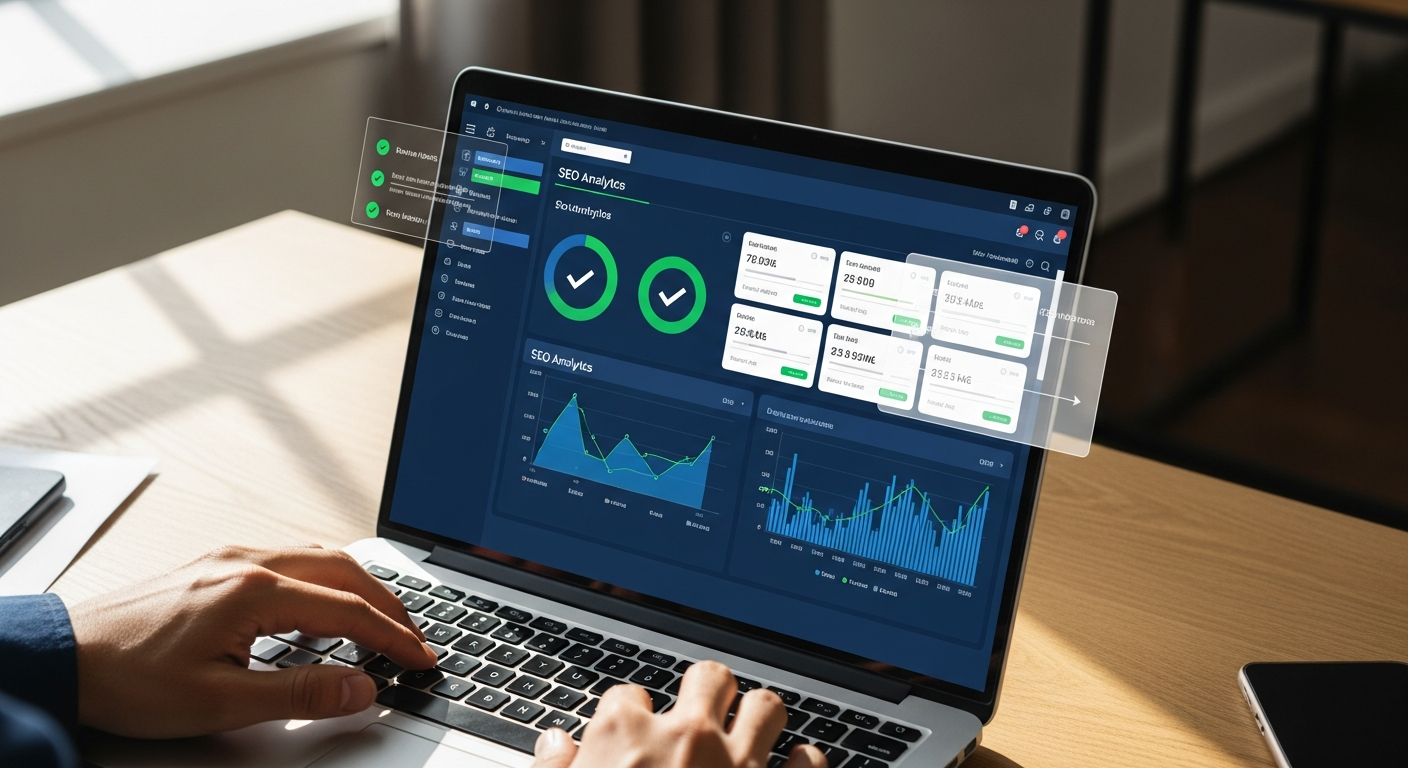
Automated SEO for Shopify Stores: Setup and Results Guide
Most Shopify store owners know SEO matters. Few have time to actually do it. Between managing inventory, running ads, handling customer service, and updating product listings, organic search ends up on the back burner — until sales plateau and the panic sets in.
Automated SEO for Shopify stores solves this problem by replacing the manual grind with a system that audits your site, builds a content plan, writes product-relevant articles, and publishes them directly to your Shopify blog — daily, without you lifting a finger.
This guide walks through exactly how to connect your Shopify store to SaveMySEO, what the setup process looks like, and what results you can realistically expect from a properly configured automation pipeline.
Why Shopify Stores Struggle with SEO
Shopify is a great platform for selling. It's not built to be an SEO machine.
Out of the box, Shopify generates duplicate URLs for product pages (the /collections/ and /products/ path conflict), limits your control over canonical tags, and leaves most stores with thin product descriptions that do nothing for organic rankings. According to Ahrefs' analysis of e-commerce SEO, product pages are among the most commonly under-optimized assets on the web — largely because store owners write for customers, not search engines.
Then there's the content problem. Google rewards sites that publish consistently. The average Shopify store publishes one blog post every three months. That frequency won't move the needle.
The other issue: collection pages. These are some of the highest-value SEO pages on any Shopify store — they capture broad category-level keywords like "women's running shoes" or "organic skincare"— but most stores treat them as pure navigation. No descriptions, no keyword-targeted copy, no internal linking structure.
Fixing all of this manually takes hours every week. Automating it takes about 10 minutes to set up.
What SaveMySEO Does for Shopify Stores
SaveMySEO connects directly to your Shopify store and runs an automated SEO pipeline that covers four key areas:
1. Site audit. A 50+ point audit checks on-page SEO (title tags, meta descriptions, headings), content quality, technical SEO (page speed, mobile responsiveness, structured data), link analysis, and user experience signals. You get a clear score and prioritized list of fixes — no SEO background required.
2. Content plan generation. Based on your actual site data, keyword gaps, and competitor analysis, SaveMySEO builds a monthly content plan with topics, target keywords, and article outlines. If you sell hiking gear, it'll identify that you're missing articles around "best waterproof hiking boots for women" or "how to choose a hiking pack weight" — keywords your competitors rank for and you don't.
3. Daily article publishing. SaveMySEO writes and publishes AI-generated articles directly to your Shopify blog. These aren't generic filler posts. They're built around your product categories, target keywords, and the content gaps identified during audit.
4. AI visibility tracking. SaveMySEO tracks your visibility across both traditional search and AI platforms — ChatGPT, Claude, and Gemini — using its proprietary AI Visibility Score. You'll see which of your keywords earn AI citations and which ones need work.
If you've looked at how the cost of automated SEO compares to traditional agency fees, the math for Shopify stores is even more compelling. Agencies typically charge $2,000–$5,000/month for e-commerce SEO. SaveMySEO runs $197/month flat.
Connecting Shopify to SaveMySEO: Step-by-Step
Step 1: Create Your SaveMySEO Account
Go to savemyseo.com/signup and start your 3-day free trial. No credit card required at signup. Enter your store's primary URL (e.g., yourstore.myshopify.com or your custom domain if you have one).
Step 2: Run the Initial SEO Audit
Once your account is active, SaveMySEO runs an automated audit across all 50+ check categories. This usually completes within a few minutes. You'll see:
- An overall SEO score (0–100)
- Category breakdowns: on-page SEO, content quality, technical SEO, link analysis, UX signals
- Specific flagged issues with plain-language explanations and fix instructions
For most Shopify stores, the first audit surfaces the duplicate URL issue, missing meta descriptions on collection pages, and thin product page content. These become the foundation of your initial action list.
What good looks like: A Shopify store with 200+ products and a regularly updated blog scoring above 75/100 in the initial audit. Most new stores score 40–60. That gap is your opportunity.
Step 3: Connect Google Search Console
In your SaveMySEO dashboard, navigate to Integrations > Google Search Console. Authorize the connection with your Google account. This pulls actual search performance data — impressions, clicks, average position — for every page on your store.
This step matters because it transforms generic SEO recommendations into data-driven ones. SaveMySEO knows which product pages are already getting impressions but not clicks (a title tag fix can double traffic from those pages) versus pages that aren't indexed at all.
Step 4: Connect Shopify for Auto-Publishing
Navigate to Integrations > CMS > Shopify.
You'll be prompted to:
- Enter your Shopify store URL
- Install the SaveMySEO app from the Shopify App Store (or provide a private API token from your Shopify admin)
- Select which blog on your Shopify store should receive published articles
- Configure your publishing schedule (daily is recommended; weekly is available)
- Set your author name and default tags for published posts
Once connected, SaveMySEO will push new articles directly to your Shopify blog as drafts or live posts, depending on your preference. Starting with "draft" mode is smart — it lets you review the first few articles before switching to fully automated live publishing.
The connection typically takes under 5 minutes. If you've set up the WordPress version of this integration, the Shopify flow is structurally similar — just a different authentication method.
Step 5: Review and Approve Your Content Plan
After the audit completes and Search Console is connected, SaveMySEO generates your first monthly content plan. This includes:
- 20–30 article topics tailored to your store's category
- Target keywords for each article with estimated search volume
- Article outlines showing the intended structure
- A weekly publishing schedule that spreads content evenly across the month
Look through the topics. You'll almost certainly find gaps you hadn't noticed — buyer's guide content, comparison articles, "best X for Y" posts — that match how your customers search before they buy.
Step 6: Enable IndexNow
In Settings > Indexing, enable the IndexNow integration. This pings search engines (Bing, Yandex, and other IndexNow-compatible engines) as soon as new content publishes, triggering faster crawling. For a store publishing daily content, this meaningfully reduces the lag between publishing and indexing.
Optimizing Product Pages: What the Audit Catches
The SaveMySEO audit identifies product page issues that most store owners don't know to look for.
Title tag formula. Most Shopify product titles default to [Product Name] - [Store Name]. That's fine for branding, but it wastes the keyword opportunity in the title tag. Better: [Product Name] — [Key Benefit/Use Case] | [Store Name]. Example: "TrailPeak 45L Hiking Pack — Ultralight Frame for Weekend Trips | GearHaven."
Meta descriptions. Shopify auto-generates meta descriptions from product body copy if you haven't set them manually. The auto-generated versions are often truncated mid-sentence or filled with stock specifications. SaveMySEO flags every product page missing a manually written meta description and assigns them as fixes in priority order.
Thin content. According to Google's quality rater guidelines, pages with little substantive content are unlikely to rank well. Product pages with one-paragraph descriptions and a spec sheet qualify as thin. SaveMySEO identifies these and the content plan includes supplementary blog content that links back to those products — a strategy that transfers topical authority without requiring you to rewrite every product page.
Structured data. Product schema (price, availability, reviews) can significantly improve how your listings appear in search results. SaveMySEO's technical audit checks whether your product pages have properly implemented structured data and flags missing or malformed markup.
Collection Page SEO: The Underrated Opportunity
Collection pages capture the highest search volume keywords on any Shopify store. "Men's trail running shoes" gets ten times more monthly searches than any individual product in that category.
The audit identifies collection pages with:
- No meta description
- No body copy (just a product grid)
- Generic H1 tags like "Running Shoes" instead of "Men's Trail Running Shoes — Lightweight & Waterproof"
- Missing internal links to related collections or buying guides
SaveMySEO flags these in the audit results and includes collection-specific blog content in the content plan — articles like "How to Choose Trail Running Shoes for Beginners" that link back to your collection page and signal topical relevance to Google.
Blog Content Strategy for E-Commerce SEO
The content plan SaveMySEO builds for Shopify stores follows a specific logic: target the questions buyers ask before they know what product they want.
Someone searching "how to choose a standing desk" hasn't decided what to buy. They're in research mode. An article that answers that question thoroughly — and links naturally to your standing desk collection — captures them at the top of the funnel.
Keyword gap analysis identifies these opportunities systematically. SaveMySEO compares your site's current keyword footprint against competitors and surfaces topics you're missing. For a home office furniture store, that might be 40+ articles your competitors rank for that you don't — a content roadmap built automatically.
Articles are written daily and pushed to your Shopify blog on the publishing schedule you configured. Each article includes:
- Target keyword in the H1, first paragraph, and 1–2 subheadings
- Natural keyword density (1–2%)
- Internal links to relevant product pages and collections
- A clear call to action pointing toward a product or collection
This is the same content infrastructure that serious e-commerce brands build with content teams. Automated SEO for Shopify stores makes it accessible at $197/month instead of $10,000+/month in content production costs.
Tracking Results: What to Watch and When
SEO takes time. Being honest about the timeline matters.
Most Shopify stores see measurable movement — increased impressions, new keyword rankings — within 60–90 days of consistent publishing. Meaningful traffic increases typically appear around the 90–120 day mark. These aren't vanity metrics; they're organic sessions that convert.
Inside SaveMySEO, monitor:
Overall SEO score trend. This should increase week-over-week as you implement audit recommendations. If it stalls, check whether new audit issues have appeared (site changes can introduce new problems).
Google Search Console data. Total impressions tell you how many searches your content is appearing for. Click-through rate tells you whether your titles and meta descriptions are compelling enough to earn the click.
AI Visibility Score. This is SaveMySEO's proprietary metric tracking how often your store appears in AI-generated responses across ChatGPT, Claude, and Gemini. E-commerce queries like "what's the best camping gear for beginners" are increasingly answered by AI assistants — you want your store in those answers.
Keyword citation tracking. SaveMySEO queries AI models with your target keywords and reports whether your store gets cited. Winning keywords (where you're cited) confirm your content strategy is working. Losing keywords show where to focus next.
Troubleshooting Common Integration Issues
Articles not appearing in Shopify blog Check that the blog ID in your SaveMySEO integration settings matches the correct blog in your Shopify admin. Stores with multiple blogs sometimes have a mismatch. Navigate to Shopify Admin > Online Store > Blog Posts, confirm the blog name, then verify in SaveMySEO's Shopify integration panel.
Duplicate content warnings in audit
This is the classic Shopify /collections/[handle]/products/[handle] vs. /products/[handle] duplication issue. SaveMySEO flags it; the fix involves confirming that Shopify's canonical tags are pointing to the /products/ URL. This is handled in Shopify's theme settings or via a theme code edit. The audit results include specific instructions.
Google Search Console not syncing
Ensure the Google account authorized in SaveMySEO has access to the correct Search Console property. If your store uses a custom domain, the Search Console property must match that domain — not yourstore.myshopify.com. Re-authorizing the connection from the Integrations panel usually resolves sync issues.
Content plan topics don't match your niche This happens when the initial audit doesn't have enough data to characterize your store accurately. Add more context in your SaveMySEO account settings — product categories, target audience, top competitors. The next content plan generation will reflect that input.
For advanced integration configuration, the SaveMySEO API documentation covers custom publishing parameters, webhook setup, and programmatic access to audit data — useful if you're integrating SEO automation into a larger tech stack.
Getting Started
The setup takes about 10 minutes. The results compound over months.
If you want to see where your store stands before committing to anything, SaveMySEO's free instant SEO analysis gives you an overall score and five key highlights for any URL — no account, no credit card. Run it on your store homepage, your top collection page, and your best-selling product page. The gaps will become obvious fast.
From there, a 3-day free trial gives you full platform access — audit, content plan, competitor analysis, and the Shopify publishing connection — to see exactly how the automation works with your actual store data.
Consistent SEO content is one of the highest-ROI channels for e-commerce businesses looking for alternatives to agency retainers. The stores winning organic traffic in 2026 aren't outspending their competitors on ads. They're out-publishing them — and doing it automatically.
Sources
- Ahrefs — E-commerce SEO Guide — analysis of common product page SEO issues and optimization strategies
- Google Search Quality Evaluator Guidelines — Google's official standards for content quality and thin content classification
- Shopify Help Center — SEO Best Practices — Shopify's official documentation on URL structure, canonical tags, and on-page SEO
- IndexNow Protocol — Official Documentation — specification for the IndexNow instant indexing protocol supported by Bing and other search engines
- Google Search Central — Structured Data for Products — Google's technical requirements for product schema markup